Open the video
Choose a public TikTok video that you are authorized to save.

Inspect a public TikTok video and select from the available source-returned video formats.
Paste a public link to inspect its media.
ClipSaved media guide
Use this guide to review the video result, compare any source-returned quality options, and choose a listed format. ClipSaved does not upscale or alter the original media.
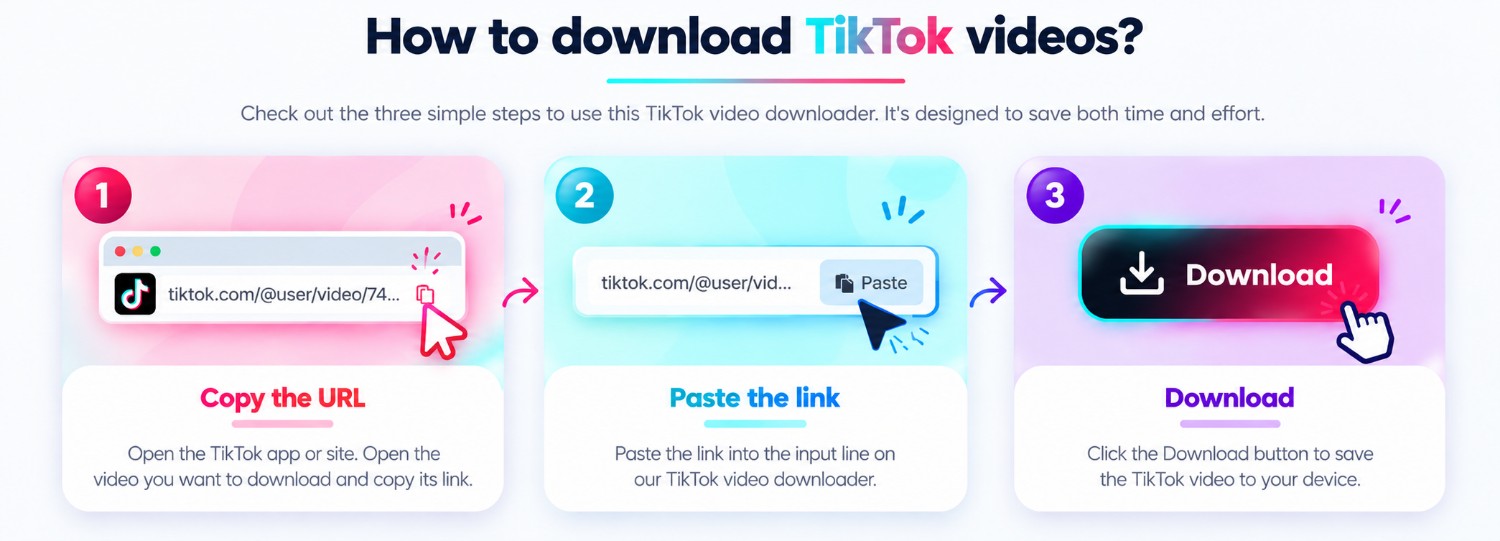
Three steps
Every guide uses the same ClipSaved analyzer and result controls.
Choose a public TikTok video that you are authorized to save.
Paste the copied URL into the ClipSaved field and wait for its available formats.
Preview the video and use the quality choices supplied by the source.
ClipSaved features
Compare the formats and quality options returned for the submitted public video.
Inspect the result in the browser and select an available source format.
Unsupported formats are not converted or upscaled by this video workflow.
Platform overview
ClipSaved analyzes public TikTok video links and shows the video formats available from that post. This TikTok tool currently focuses on videos rather than photo posts or slideshow conversion.
Paste a share URL for a public TikTok video that you are permitted to access.
Choose among formats supplied by the source; ClipSaved does not upscale video.
The existing video result may offer its source audio as a separate download option.
Use the analyzer in a current browser on desktop, tablet, or phone. The link and download controls adapt to narrow screens.
Only public or authorized videos are supported. ClipSaved does not promise watermark removal or bypass TikTok account privacy.
What video quality is available?
Quality depends on the formats returned for that public video; ClipSaved does not upscale it.
Does the downloader change the original video?
No. The page exposes source-returned media and does not promise watermark removal or edits.
Can I use another TikTok URL here?
Yes. Route names describe search intent; any valid supported TikTok URL uses the same analyzer.
Can ClipSaved analyze private or restricted posts?
No. Use links to public or otherwise authorized media only. ClipSaved does not bypass sign-in, privacy, or access controls.