Copy a public link
Copy the share URL for public media you are allowed to access.

Inspect a public Snapchat media link and preview the video or image items the source makes available.
Paste a public link to inspect its media.
ClipSaved media guide
Paste a supported link to see whether the public source exposes a video or image. Results and playback formats can vary by post and browser.

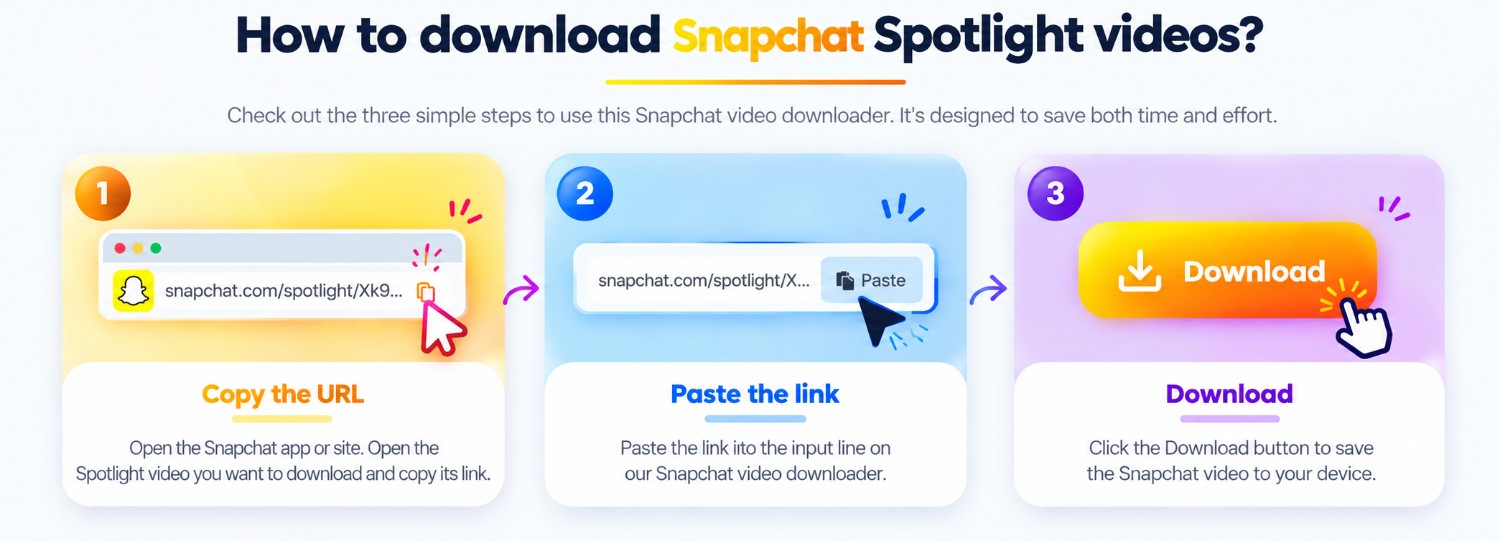
Three steps
Every guide uses the same ClipSaved analyzer and result controls.
Copy the share URL for public media you are allowed to access.
Paste the URL above. Video and image outcomes use the same Snapchat analyzer.
Preview the result and download the media items returned for that link.
ClipSaved features
The result view handles the video or image media exposed by the source.
Some Snapchat formats may not play in every browser; the returned format is shown as provided.
Only public or authorized media is supported. No private Story access is attempted.
Platform overview
Snapchat links can resolve to different media types. ClipSaved displays only what the current source exposes and what the browser can play or display.
Paste a direct public link and review any source-returned video format.
If an accessible Snapchat link returns an image, the shared preview and download flow can display it.
A Story link works only if the post is public or you are authorized and the extractor can resolve it.
The responsive analyzer works in mobile and desktop browsers. A returned stream format may not play in every browser.
Private Snaps, friends-only Stories, and login-gated media are not bypassed. Expired or unavailable posts may return no media.
Which Snapchat media can I analyze?
Public links may return video or image media when the current extractor can access them.
Can I view private Stories?
No. ClipSaved does not bypass Snapchat privacy or account controls.
Why might a video not play in my browser?
Some sources return formats that are not supported by every browser. Availability depends on the media returned.
Does ClipSaved permanently store media?
No. Media is streamed through the existing ClipSaved flow and is not permanently stored by the service.